Cancel your subscription plan
Log in to your Plausible account. In the top right menu, click your account name → Account Settings.
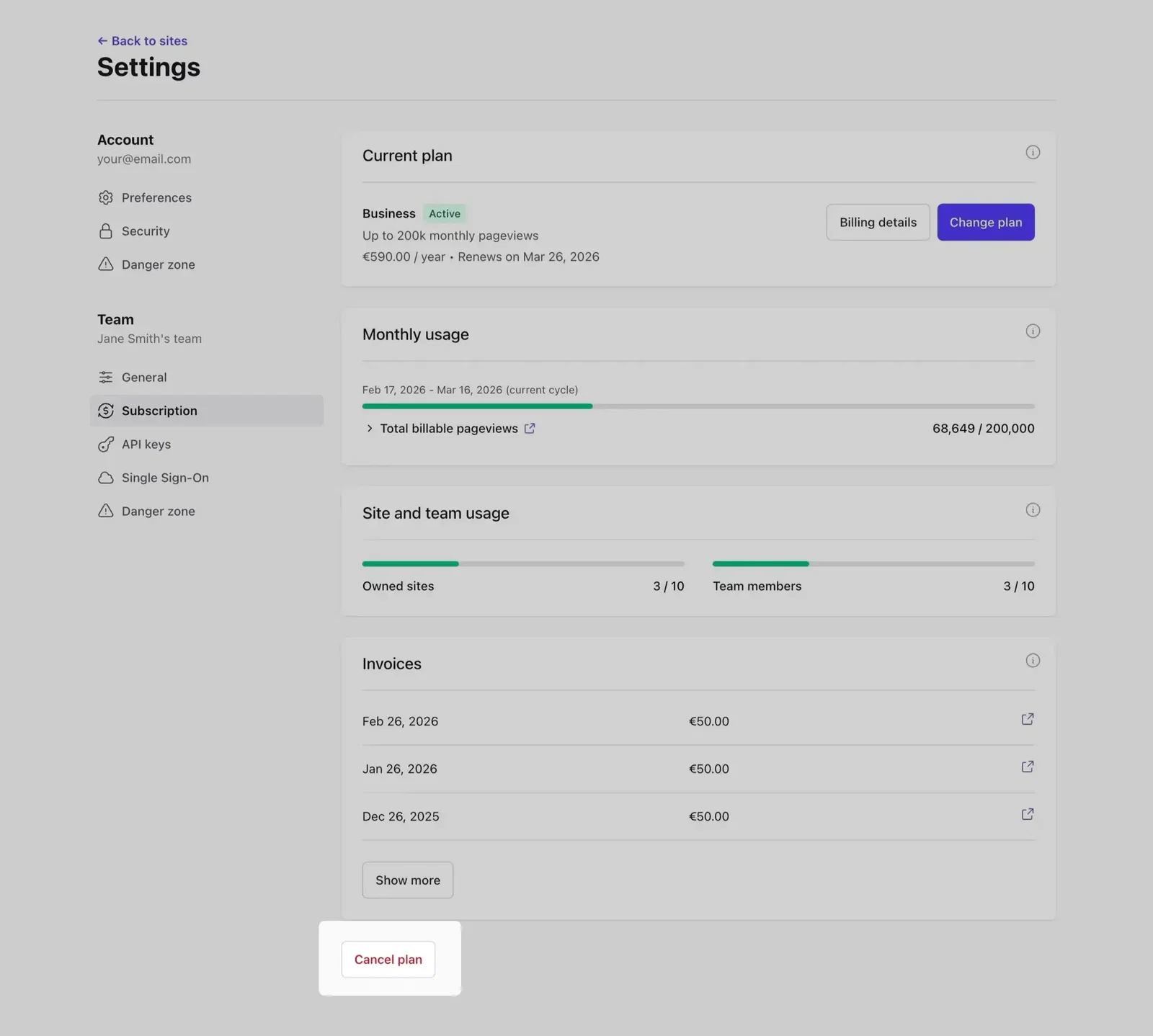
Go to the Subscription section and click Cancel plan.
What happens after you cancel
Until the end of your billing period
Your stats keep being counted and you have full access to your dashboard.
Once the billing period ends
Your dashboard is locked. You can still log in, access your account settings and site settings, but you cannot view your stats. You can export your collected data at any time from the site settings of any locked site.
One month after locking, Plausible stops collecting data. If you haven't removed the Plausible snippet from your site, any data it sends will be dropped automatically from that point.
Data retention
Data retention limits apply to active subscriptions only. Once you cancel and your paid period ends, we may delete your sites and stats. We'll email you before that happens so you have time to export your data or resubscribe.
You can delete individual sites at any time, before or after canceling, from your site settings. To delete your entire account or team, you'll first need to cancel any active subscription.
Resubscribing
You can resubscribe at any time from the Subscription section in your account settings. Your dashboards unlock automatically and data collection resumes immediately.
If you resubscribe before your data is deleted, your historical stats will still be there. Deleted data cannot be recovered, so if you're coming back, resubscribe or export your data before the deletion date in our email.
Want to switch plans instead of canceling? See Change your subscription plan.